Category Archives: Shared Articles

Re-introducing Vagrant: The Right Way to Start with PHP

I often get asked to recommend beginner resources for people new to PHP. And, it’s true, we don’t have many truly newbie friendly ones. I’d like to change that by first talking about the basics of environment configuration. In this post, you’ll learn about the very first thing you should do before starting to work with PHP (or any other language, for that matter).

We’ll be re-introducing Vagrant powered development.

Please take the time to read through the entire article – I realize it’s a wall of text, but it’s an important wall of text. By following the advice within, you’ll be doing not only yourself one hell of a favor, but you’ll be benefitting countless other developers in the future as well. The post will be mainly theory, but in the end we’ll link to a quick 5-minute tutorial designed to get you up and running with Vagrant in almost no time. It’s recommended you absorb the theory behind it before you do that, though.

Just in case you’d like to rush ahead and get something tangible up and running before getting into theory, here’s the link to that tutorial.

What?

Let’s start with the obvious question – what is Vagrant? To explain this, we need to explain the following 3 terms first:

  • Virtual Machine
  • VirtualBox
  • Provisioning

Virtual Machine

In definitions as simple as I can conjure them, a Virtual Machine (VM) is an isolated part of your main computer which thinks it’s a computer on its own. For example, if you have a CPU with 4 cores, 12 GB of RAM and 500 GB of hard drive space, you could turn 1 core, 4 GB or RAM and 20GB or hard drive space into a VM. That VM then thinks it’s a computer with that many resources, and is completely unaware of its “parent” system – it thinks it’s a computer in its own right. That allows you to have a “computer within a computer” (yes, even a new “monitor”, which is essentially a window inside a window – see image below):

A Windows VM inside a Mac OS X system

This has several advantages:

  • you can mess up anything you want, and nothing breaks on your main machine. Imagine accidentally downloading a virus – on your main machine, that could be catastrophic. Your entire computer would be at risk. But if you downloaded a virus inside a VM, only the VM is at risk because it has no real connection to the parent system it lives off of. Thus, the VM, when infected, can simply be destroyed and re-configured back into existence, clean as a whistle, no consequences.
  • you can test out applications for other operating systems. For example, you have an Apple computer, but you really want that one specific Windows application that Apple doesn’t have. Just power up a Windows VM, and run the application inside it (like in the image above)!
  • you keep your main OS free of junk. By installing stuff onto your virtual machine, you avoid having to install anything on your main machine (the one on which the VM is running), keeping the main OS clean, fast, and as close to its “brand new” state as possible for a long time.

You might wonder – if I dedicate that much of my host computer to the VM (an entire CPU core, 4GB or RAM, etc), won’t that:

  • make my main computer slower?
  • make the VM slow, because that’s kind of a weak machine?

The answer to both is “yes” – but here’s why this isn’t a big deal. You only run the VM when you need it – when you don’t, you “power it down”, which is just like shutting down a physical computer. The resources (your CPU core, etc.) are then instantly freed up. The VM being slow is not a problem because it’s not meant to be a main machine – you have the host for that, your main computer. So the VM is there only for a specific purpose, and for that purpose, those resources are far more than enough. If you really need a VM more powerful than the host OS, then just give the VM more resources – like if you want to play a powerful game on your Windows machine and you’re on a Mac computer with 4 CPU cores, give the VM 3 cores and 70-80% of your RAM – the VM instantly becomes powerful enough to run your game!

But, how do you “make” a virtual machine? This is where software like VirtualBox comes in.

VirtualBox

VirtualBox is a program which lets you quickly and easily create virtual machines. An alternative to VirtualBox is VMware. You can (and should immediately) install VirtualBox here.

VirtualBox logo

VirtualBox provides an easy to use graphical interface for configuring new virtual machines. It’ll let you select the number of CPU cores, disk space, and more. To use it, you need an existing image (an installation CD, for example) of the operating system you want running on the VM you’re building. For example, if you want a Windows VM as in the image above, you’ll need a Windows installation DVD handy. Same for the different flavors of Linux, OS X, and so on.

Provisioning

When a new VM is created, it’s bare-bones. It contains nothing but the installed operating system – no additional applications, no drivers, nothing. You still need to configure it as if it were a brand new computer you just bought. This takes a lot of time, and people came up with different ways around it. One such way is provisioning, or the act of using a pre-written script to install everything for you.

With a provisioning process, you only need to create a new VM and launch the provisioner (a provisioner is a special program that takes special instructions) and everything will be taken care of automatically for you. Some popular provisioners are: Ansible, Chef, Puppet, etc – each has a special syntax in the configuration “recipe” that you need to learn. But have no fear – this, too, can be skipped. Keep reading.

Vagrant

This is where we get to Vagrant. Vagrant is another program that combines the powers of a provisioner and VirtualBox to configure a VM for you.

You can (and should immediately) install Vagrant here.

Vagrant, however, takes a different approach to VMs. Where traditional VMs have a graphical user interface (GUI) with windows, folders and whatnot, thus taking a long time to boot up and become usable once configured, Vagrant-powered VMs don’t. Vagrant strips out the stuff you don’t need because it’s development oriented, meaning it helps with the creation of development friendly VMs.

Vagrant machines will have no graphical elements, no windows, no taskbars, nothing to use a mouse on. They are used exclusively through the terminal (or command line on Windows – but for the sake of simplicity, I’ll refer to it as the terminal from now on). This has several advantages over standard VMs:

  1. Vagrant VMs are brutally fast to boot up. It takes literally seconds to turn on a VM and start developing on it. Look how quickly it happens for me – 25 seconds flat from start to finish:

    Vagrant up
  2. Vagrant VMs are brutally fast to use – with no graphical elements to take up valuable CPU cycles and RAM, the VM is as fast as a regular computer
  3. Vagrant VMs resemble real servers. If you know how to use a Vagrant VM, you’re well on your way to being able to find your way around a real server, too.
  4. Vagrant VMs are very light due to their stripped out nature, so their configuration can typically be much weaker than that of regular, graphics-powered VMs. A single CPU core and 1GB of RAM is more than enough in the vast majority of use cases when developing with PHP. That means you can not only boot up a Vagrant VM on a very weak computer, you can also boot up several and still not have to worry about running out of resources.
  5. Perhaps most importantly, Vagrant VMs are destructible. If something goes wrong on your VM – you install something malicious, you remove something essential by accident, or any other calamity occurs, all you need to do to get back to the original state is run two commands: vagrant destroy which will destroy the VM and everything that was installed on it after the provisioning process (which happens right after booting up), and vagrant up which rebuilds it from scratch and re-runs the provisioning process afterwards, effectively turning back time to before you messed things up.

With Vagrant, you have a highly forgiving environment that can restore everything to its original state in minutes, saving you hours upon hours of debugging and reinstallation procedures.

Why?

So, why do this for PHP development in particular?

  1. The ability to test on several versions of PHP, or PHP with different extensions installed. One VM can be running PHP 5.5, one can be running PHP 5.6, one can be running PHP 7. Test your code on each – no need to reinstall anything. Instantly be sure your code is cross-version compatible.
  2. The ability to test on several servers. Test on Apache in one VM, test on Nginx in another, or on Lighttpd on yet another – same thing as above: make sure your code works on all server configurations.
  3. Benchmark your code’s execution speed on different combinations of servers + PHP versions. Maybe the code will execute twice as fast on Nginx + PHP 7, allowing you to optimize further and alert potential users to possible speed gains.
  4. Share the same environment with other team members, avoiding the “it works on my machine” excuses. All it takes is sharing a single Vagrantfile (which contains all of the necessary configuration) and everyone has the exact same setup as you do.
  5. Get dev/prod parity: configure your Vagrant VM to use the same software (and versions) as your production (live) server. For example, if you have Nginx and PHP 5.6.11 running on the live server, set the Vagrant VM up in the exact same way. That way, you’re 100% certain your code will instantly work when you deploy it to production, meaning no downtime for your visitors!

These are the main but not the only reasons.

But why not XAMPP? XAMPP is a pre-built package of PHP, Apache, MySQL (and Perl, for the three people in the world who need it) that makes a working PHP environment just one click away. Surely this is better than Vagrant, no? I mean, a single click versus learning about terminal, Git cloning, virtual machines, hosts, etc…? Well actually, it’s much worse, for the following reasons:

  1. With XAMPP, you absorb zero server-config know-how, staying 100% clueless about terminal, manual software installations, SSH usage, and everything else you’ll one day desperately need to deploy a real application.
  2. With XAMPP, you’re never on the most recent version of the software. It being a pre-configured stack of software, updating an individual part takes time and effort so it’s usually not done unless a major version change is involved. As such, you’re always operating on something at least a little bit outdated.
  3. XAMPP forces you to use Apache. Not that Nginx is the alpha and omega of server software, but being able to at least test on it would be highly beneficial. With XAMPP and similar packages, you have no option to do this.
  4. XAMPP forces you to use MySQL. Same as above, being able to switch databases at will is a great perk of VM-based development, because it lets you not only learn new technologies, but also use those that fit the use case. For example, you won’t be building a social network with MySQL – you’ll use a graph database – but with packages like XAMPP, you can kiss that option goodbye unless you get into additional shenanigans of installing it on your machine, which brings along a host of new problems.
  5. XAMPP installs on your host OS, meaning it pollutes your main system’s space. Every time your computer boots up, it’ll be a little bit slower because of this because the software will load whether or not you’re planning to do some development that day. With VMs, you only power them on when you need them.
  6. XAMPP is version locked – you can’t switch out a version of PHP for another, or a version of MySQL for another. All you can do is use what you’re given, and while this may be fine for someone who is 100% new to PHP, it’s harmful in the long run because it gives a false sense of safety and certainty.
  7. XAMPP is OS-specific. If you use Windows and install XAMPP, you have to put up with the various problems PHP has on Windows. Code that works on Windows might not work on Linux, and vice versa. Since the vast, vast majority of PHP sites are running on Linux servers, developing on a Linux VM (powered by Vagrant) makes sense.

There are many more reasons not to use XAMPP (and similar packages like MAMP, WAMP, etc), but these are the main ones.

How?

So how does one power up a Vagrant box?

The first way, which involves a bit of experimentation and downloading of copious amounts of data is going to Atlascorp’s Vagrant Box list here, finding one you like, and executing the command you can find in the box’s details. For example, to power up a 64bit Ubuntu 14.04 VM, you run: vagrant init ubuntu/trusty64 in a folder of your choice after you installed Vagrant, as per instructions. This will download the box into your local Vagrant copy, keeping it for future use (you only have to download once) so future VMs based off of this one are set up faster.

Note that the Atlascorp (which, by the way, is the company behind Vagrant) boxes don’t have to be bare-bones VMs. Some come with software pre-installed, making everything that much faster. For example, the laravel/homestead box comes with the newest PHP, MySQL, Nginx, PostgreSQL, etc pre-installed, so you can get to work almost immediately (more on that in the next section).

Another way is grabbing someone’s pre-configured Vagrant box from Github. The boxes from the list in the link above are decent enough but don’t have everything you might want installed or configured. For example, the homestead box does come with PHP and Nginx, but if you boot it up you won’t have a server configured, and you won’t be able to visit your site in a browser. To get this, you need a provisioner, and that’s where Vagrantfiles come into play. When you fetch someone’s Vagrantfile off of Github, you get the configuration, too – everything gets set up for you. That brings us into HI.

Hi!

HI (short for Homestead Improved) is a version of laravel/homestead. We use this box at SitePoint extensively to bootstrap new projects and tutorials quickly, so that all readers have the same development environment to work with. Why a version and not the original homestead you may wonder? Because the original requires you to have PHP installed on your host machine (the one on which you’ll boot up your VM) and I’m a big supporter of cross-platform development in that you don’t need to change anything on your host OS when switching machines. By using Homestead Improved, you get an environment ready for absolutely any operating system with almost zero effort.

The gif above where I boot up a VM in 25 seconds – that’s a HI VM, one I use for a specific project.

I recommend you go through this quick tip to get it up and running quickly. The first run might take a little longer, due to the box having to download, but subsequent runs should be as fast as the one in my gif above.

Please do this now – if at any point you get stuck, please let me know and I’ll come running to help you out; I really want everyone to transition to Vagrant-driven-development as soon as possible.

Conclusion

By using HI (and Vagrant in general), you’re paving the way for your own cross-platform development experience and keeping your host OS clean and isolated from all your development efforts.

Below you’ll find a list of other useful resources to supercharge your new Vagrant powers:

  • SitePoint Vagrant posts – many tutorials on lots of different aspects of developing with Vagrant, some explaining the links below, some going beyond that and diving into manually provisioning a box or even creating your own, and so on.
  • StackOverflow Vagrant Tag for questions and answers about Vagrant, if you run into problems setting it up
  • PuPHPet – a way to graphically configure the provisioning of a new Vagrant box to your needs – select a server, a version of PHP, a database, and much more. Uses the Puppet provisioner. Knowledge of Puppet not required.
  • Phansible – same as PuPHPet but uses the Ansible provisioner. Knowledge of Ansible not required.
  • Vaprobash a set of Bash scripts you can download (no provisioner – raw terminal commands in various files that just get executed) as an alternative to the above two. Requires a bit more manual work, but usually results in less bloated VMs due to finetuneability.
  • 5 ways to get started with Vagrant – lists the above resources, plus some others.

Do you have any questions? Is anything unclear? Would you like me to go into more depth with any of the topics mentioned above? Please let me know in the comments below, and I’ll do my best to clear things up.

شهاب‌ها

خیلی کم پیش می‌آید… گه‌گاهی شهابی ظاهر می‌شود و درخشش آن و دنباله اسرارآمیزش شگفتی به بار می‌آورد. ولی تا به خود بیاییم و بخواهیم جزییاتش را خودآگاهانه و دقیق‌تر مشاهده کنیم، از نظرها ناپدید می‌شود و فقط خاطره‌ای محو از آن در ذهن‌مان باقی می‌ماند؛ همراه با احساسی بیان ناشدنی که در نزدیک‌ترین تقریب شاید چیزی بین دلهره‌ای خفیف و شوقی لرزان باشد… [دنیا جای عجیبی‌ست!]

Lazy Arrays

Oliver Caldwell has been working on a module that lets you use lazy arrays (GitHub: Wolfy87/lazy-array, License: The Unlicense, npm: lazy-array) in JavaScript. If you've ever used Clojure for any amount of time you'll find you start actually thinking in lazy sequences, and start wanting to use them on other platforms.

Clojure's lazy sequences are sequences of values that you can query, slice, and compose. They're generated algorithmically but don't haven't to exist entirely in memory. A good example of this is the Fibonacci sequence. With Oliver's module you can define and manipulate the Fibonacci sequence like this:

var larr = require('lazy-array');

function fib(a, b) {  
  return larr.create(function() {
    return larr.cons(a, fib(b, a + b));
  });
}

var f = fib(1, 1);  
larr.nth(f, 49); // 12586269025  

In this example, the larr.create method defines a sequence using larr.cons, which is a "core sequence" function. The methods provided by Lazy Array are based on Clojure's lazy sequence methods, so you get the following:

  • first: Get the first item
  • rest: Get the tail of the array
  • cons: Constructs a new array by prepending the item on the list
  • take: Returns a lazy array which is limited to the given length
  • drop: Returns a lazy array which drops the first n results
  • nth: Fetches the nth result

There are more methods -- if you want to see the rest look at the JSDoc comments in lazy-array.js.

Lazy sequences are not magic: you can easily make Clojure blow up:

(defn fib [a b] (lazy-seq (cons a (fib b (+ a b)))))

(take 5 (fib 1 1))
; (1 1 2 3 5)

(take 2000 (fib 1 1))

; ArithmeticException integer overflow  clojure.lang.Numbers.throwIntOverflow (Numbers.java:1424)

But the point isn't that they're a way of handling huge piles of data, it's more a programming primitive that makes generative algorithms easier to reason about. What I really like about Oliver's work is he links it to UI development:

We JavaScript frontend wranglers deal with events, networking and state all day long, so building this had me wondering if I could apply laziness to the UI domain. The more I thought about this concept and talked with colleagues about it I realised that I’m essentially heading towards functional reactive programming, with bacon.js as a JavaScript example.

The UI example Oliver uses is based on an infinite lazy array of all possible times using a given start date and step timestamp. This might be a concise way of representing a reactive calendar widget.

If you're interested in lazy sequences and want to read more about Clojure, I found Lazy Sequences in Clojure useful when fact checking this article.

Weekend Reading — Adventure Max

MAD MAX v. Adventure Time is just fantastic

Design Objective

7 Rules for Creating Gorgeous UI and the second part. Written by and for non-designers, focuses on the basic skills you need get a functional design.

The first secret of design is ... noticing (video) Tony Fadell on noticing the big picture and the little details.

The Dribbblisation of Design

Much of the product design work from job applicants I’ve seen recently has been superficial, created with one eye towards Dribbble. Things that look great but don’t work well. … In contrast, the best job applicants I’ve seen sent in their thought process. Sketches. Diagrams. Pros and cons. Real problems. Tradeoffs and solutions.

The Best Email App To Get To Inbox Zero Fastest: A Time Trial Review (In 1 Graph) It comes down to UI with good defaults, and responsiveness even with bad reception:

It may seem trivial, but seconds add up to minutes very quickly. And, for those of us who answer a lot of email, that can mean an extra 10–30 minutes a day of wasted time.

Keynote Motion Graphic Experiment Oh the many things you can do with Keynote: "It's pretty impressive how much Keynote can stand up to pro animation apps like After Effects and Motion and how fast it makes process."

@lukew

In product design, focus is freeing.

Decisions are faster, easier, and more confident when you know what you're making, for who & why.


Tools of the Trade

JSON API 1.0 After two years the JSON API spec goes 1.0. Looks like it focuses on standardizing message wrapping for RPC usage, to the benefit of tools/libraries. CORBA and WS-* chased the same goal, maybe third time's the charm?

GitUp Mac app that simplifies some of the more complex Git tasks. Watch the video, it might just be the app for you.

Percy Visual regression tests on every build. Your test suite uploads HTML and assets, Percy does the rendering and visual diff, updates CI with the build status. Going to give this a try.

vim-json Pathogen plugin with distinct highlighting of keywords vs values, JSON-specific (non-JS) warnings, quote concealing.

Introduction to Microservices Nginx wants to be a critical part of your microservices infrastructure.

slack-bot-api A Node.js library for using the Slack API.

WatchBench Build Apple Watch apps in JavaScript.

@shanselman

Seriously, browse the web with the developer tools console open logging errors and be truly amazed that the internet ever worked.

woofmark A modular, progressive, and beautiful Markdown / HTML editor.

csscv Formats HTML to look like a CSS file, cool way to publish your résumé.

Typeeto This app lets you share your Mac keyboard with other devices, without the hassle of BT connect/disconnect.

@geekle

I deal with assets on a cache by cache basis.


Lingua Scripta

Web App Speed From original iPad to iPad Air, Safari got 10x faster. It's not the browser that's slow anymore, it's us choosing to overload it with frameworks and libraries and ads:

It’s frustrating to see people complain about bad web performance. They’re often right in practice, of course, but what’s annoying is that it is a completely unforced error. There’s no reason why web apps have to be slow.

JavaScript Code Smells Slides and video from the FluentConf talk that will teach you how to lint like a boss.

@Schoonology

ESLint has two levels, folks. Use "warning" for anything that shouldn't be checked in, and "error" for anything that shouldn't be written.


Lines of Code

AppSec is Eating Security (video) This is a must watch for anyone that's in security and/or software development. The line has moved, security is no longer about firewalls and networking and IT — security is now the application's domain and it's everybody's job.

MonolithFirst Build it up then build it out, that's exactly how we're building apps at Broadly:

A more common approach is to start with a monolith and gradually peel off microservices at the edges. Such an approach can leave a substantial monolith at the heart of the microservices architecture, but with most new development occurring in the microservices while the monolith is relatively quiescent.

Toyota Unintended Acceleration and the Big Bowl of “Spaghetti” Code This code determines if you'll die in a car crash:

Skid marks notwithstanding, two of the plaintiffs’ software experts, Phillip Koopman, and Michael Barr, provided fascinating insights into the myriad problems with Toyota’s software development process and its source code – possible bit flips, task deaths that would disable the failsafes, memory corruption, single-point failures, inadequate protections against stack overflow and buffer overflow, single-fault containment regions, thousands of global variables.

Why are programmers obsessed with cats?

9) If you work all night to solve a particular coding requirement and you succeed, your cat will come running into the kitchen and celebrate with you at 4:00am with a bowl of cream.


Locked Doors

Proposed Statement on "HTTPS everywhere for the IETF" I would listen to Roy on this one:

TLS does not provide privacy. What it does is disable anonymous access to ensure authority. It changes access patterns away from decentralized caching to more centralized authority control. That is the opposite of privacy. TLS is desirable for access to account-based services wherein anonymity is not a concern (and usually not even allowed). … It's a shame that the IETF has been abused in this way to promote a campaign that will effectively end anonymous access, under the guise of promoting privacy.

U.S. Suspects Hackers in China Breached About 4 Million People’s Records, Officials Say I have an idea: let's give the feds backdoor access to all our private data. What could possibly go wrong?

@ftp_alun

Security experts tell us that China is responsible for a 1000% increase in use of the non-word “cyber” in tonight’s news broadcasts.

The Agency "From a nondescript office building in St. Petersburg, Russia, an army of well-paid “trolls” has tried to wreak havoc all around the Internet — and in real-life American communities." Facebook and Instagram are the new battlegrounds.

Apple Macs vulnerable to EFI zero-day

Evil Wi-Fi captive portal could spoof Apple Pay to get users’ credit card data TL;DR The portal page that signs you up to a WiFi network can be made to look like the "add a credit card" page.

Web security is totally, totally broken. Your web browser trusts TLS certificates by verifying the CA, making the CA the single point of failure. What if instead we use the blockchain to verify certificates?

OpenSesame Cool hack to open any fixed-code garage door. 1. Automate dip switch flipping for a 29 minute run. 2. Use shift register to bring that down to 8 seconds. 3. Build it from a Mattel toy.


Peopleware

Intentional hiring: how not to suck at hiring data scientists (or anyone else) TL;DR know what you want from the process, and don't be afraid to talk to people:

We don’t have to rely on confidence as a proxy for ability, because we’ve put so much work into learning how to ask questions that (we think) reveal their actual ability. It also means more diversity in our team.

@ldavidmarquet Much truth in that:

Bosses make people feel stressed.

Leaders make people feel safe.


Devoops

@dakami

OH: "We used to leak kilobytes, then megs, then even gigs. Now, we leak EC2 instances. Someday, we'll leak entire datacenters."

@sadserver

sudo first and ask questions later


None of the Above

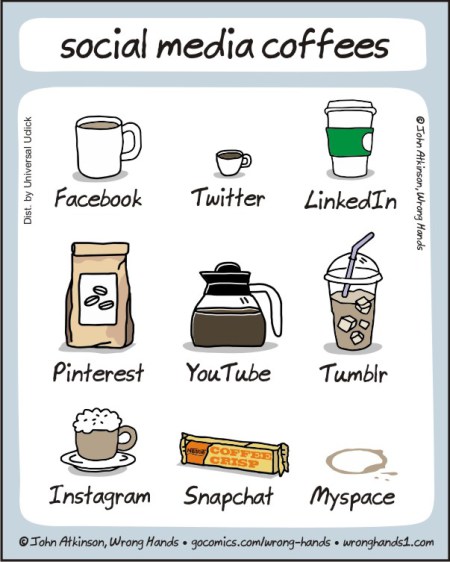
social media coffees

SnoozeInBrief Applies to so many creative professions:

How to tell whether you're a writer:

1) Write something.

2) If it took far too long and you now hate yourself, you're a writer.

The Software Paradox "RedMonk’s Stephen O’Grady explains why the real money no longer lies in software, and what it means for companies that depend on that revenue."

Shower Thoughts

Google maps should have a feature where if you know a better route, you can say “OK, Google, watch this,” and then drive it. They could improve their directions that way.

Here Comes the Airplane The hot new startup everyone's talking about:

ما مشتری نیستیم، کالاییم. گپی با سایت میدان در مورد داده‌های بزرگ

توانا بود هر که دانا بود. این جمله شاید بهترین بیان وضعیت امروز ما در ارتباط با غول‌های اینترنتی‌ای همانند گوگل، فیسبوک و صنعت داده‌های بزرگ باشد. هر که در مورد ما بیشتر می‌داند، تسلط بیشتری بر ما دارد. رابطه‌ای که ما به عنوان کاربر با شرکت‌هایی همانند گوگل و فیس‌بوک برقرار کرده‌ایم به معامله‌ای فاوستی می‌ماند. معامله‌ای که ما در آن خصوصی‌ترین اطلاعات خود را در برابر تعدادی سرویس رایگان اینترنتی در اختیار این شرکت‌ها قرار داده‌ایم. اطلاعات خصوصی‌ای که اکثریت‌مان هیچ ایده‌ای نداریم که چه استفاده‌ای از آنها می‌شود و در اختیار چه کسانی قرار می‌گیرند. آیا چنین معامله‌ای عادلانه است؟ آیا کابران از ابعاد داده‌هایی که جمع‌آوری و پردازش می‌شوند باخبرند؟ آیا این تهدیدی برای دولت‌هاست یا فرصتی برای حکمرانی همه‌جانبه؟ از طرفی دیگر اگر داده‌های بزرگ و سرویس‌های اینترنتی مرتبط با آن لازم و به درد بخورند آیا آلترناتیوی جز آنچه غول‌های اینترنتی در برابرمان قرار می‌دهند قابل تصور نیست؟ به دنبال پاسخی برای این سوال‌ها با جادی، فعال و نویسنده در حوزه تکنولوژی و اینترنت گفتگو کردیم.

خوشحال می شم اگر علاقمند هستین گپ و گفت من با بچه‌های سایت میدان در مورد بیگ دیتا رو بخونین و نظراتتون رو بهمون بگین

اشتراک‌گذاری:

2Mb Web Pages: Who’s to Blame?

I was hoping it was a blip. I was hoping 2015 would be the year of performance. I was wrong. Average web page weight has soared 7.5% in five months to exceed 2Mb. That’s three 3.5 inch double-density floppy disks-worth of data (ask your grandparents!).

According to the May 15, 2015 HTTP Archive Report, the statistics gathered from almost half a million web pages are:

technology end 2014 May 2015 increase
HTML 59Kb 56Kb -5%
CSS 57Kb 63Kb +11%
JavaScript 295Kb 329Kb +12%
Images 1,243Kb 1,310Kb +5%
Flash 76Kb 90Kb +18%
Other 223Kb 251Kb +13%
Total 1,953Kb 2,099Kb +7.5%

The biggest rises are for CSS, JavaScript, other files (mostly fonts) and—surprisingly—Flash. The average number of requests per page:

  • 100 files in total (up from 95)
  • 7 style sheet files (up from 6)
  • 20 JavaScript files (up from 18)
  • 3 font files (up from 2)

Images remain the biggest issue, accounting for 56 requests and 62% of the total page weight.

Finally, remember these figures are averages. Many sites will have a considerably larger weight.

We’re Killing the Web!

A little melodramatic, but does anyone consider 2Mb acceptable? These are public-facing sites—not action games or heavy-duty apps. Some may use a client-side framework which makes a ‘single’ page look larger, but those sites should be in the minority.

The situation is worse for the third of users on mobile devices. Ironically, a 2Mb responsive site can never be considered responsive on a slower device with a limited—and possibly expensive—mobile connection.

I’ve blamed developers in the past, and there are few technical excuses for not reducing page weight. Today, I’m turning my attention to clients: they’re making the web too complex.

Many clients are wannabe software designers and view developers as the implementers of their vision. They have a ground-breaking idea which will make millions—once all 1,001 of their “essential” features have been coded. It doesn’t matter how big the project is, the client always want more. They:

  1. mistakenly think more functionality attracts more customers
  2. think they’re getting better value for money from their developer, and
  3. don’t know any better.

Feature-based strategies such as “release early, release often” are misunderstood or rejected outright.

The result? 2Mb pages filled with irrelevant cruft, numerous adverts, obtrusive social media widgets, shoddy native interface implementations and pop-ups which are impossible to close on smaller screens.

But we give in to client demands.

Even if you don’t, the majority of developers do—and it hurts everyone.

We continue to prioritize features over performance. Adding stuff is easy and it makes clients happy. But users hate the web experience; they long for native mobile apps and Facebook Instant Articles. What’s more, developers know it’s wrong: Web vs Native: Let’s Concede Defeat.

The Apple vs Microsoft Proposition

It’s difficult to argue against a client who’s offering to pay for another set of frivolous features. Clients focus more on their own needs rather than those of their users. More adverts on the page will raise more revenue. Showing intrusive pop-ups leads to more sign-ups. Presenting twenty products is better than ten. These tricks work to a certain point, but users abandon the site once you step over the line of acceptability. What do clients instinctively do when revenues fall? They add more stuff.

Creating a slicker user experience with improved performance is always lower down the priority list. Perhaps you can bring it to the fore by discussing the following two UX approach examples …

Historically, Microsoft designs software by committee. Numerous people offer numerous opinions about numerous features. The positives: Microsoft software offers every conceivable feature and is extremely configurable. The negatives: people use a fraction of that power and it can become overly complex—for example, the seventeen shut-down options in Vista, or the incomprehensible Internet options dialog.

Apple’s approach is more of a dictatorship with relatively few decision makers. Interfaces are streamlined and minimalist, with only those features deemed absolutely necessary. The positives: Apple software can be simple and elegant. The negatives: best of luck persuading Apple to add a particular feature you want.

Neither approach is necessarily wrong, but which company has been more successful in recent years? The majority of users want an easy experience: apps should work for them—not the other way around. Simplicity wins.

Ask your client which company they would prefer to be. Then suggest their project could be improved by concentrating on the important user needs, cutting rarely-used features and prioritizing performance.

2015 Can be the Year of Performance

The web is amazing. Applications are cross-platform, work anywhere in the world, require no installation, automatically back-up data and permit instant collaboration. Yet the payload for these pages has become larger and more cumbersome than native application installers they were meant to replace. 2Mb web pages veer beyond the line of acceptability.

If we don’t do something, the obesity crisis will continue unabated. Striving for simplicity isn’t easy: reducing weight is always harder than putting it on. Endure a little pain now and you’ll have a healthier future:

It’s time to prioritize performance.

What Strategists Do All Day

For All You People Who Have No Clue What A Strategist Does

What is strategy?

On almost every LinkedIn profile today, you’ll see a skill for some sort of ‘strategy’ capability listed. Strategy has become the modern day buzzword for ‘senior professional’. Anyone who considers themselves in a senior role will generally map out their skill set around having strategic leadership.

When you move from the digital to the real world and ask someone, though, often those same people can’t provide a clear and concise understanding of what good strategy is and why it is important. And then there’s the wave of strategists across all sectors — PR, corporate, digital, communications, social. The list goes on and on and on.

As a professional strategist this is somewhat frustrating for a two reasons:

  • Everyone thinks they can do my job.
  • But no one actually knows what my job is.

It’s particularly frustrating because when hiring, people often don’t know what to look for in a strategist (other than ‘smart’). It also makes quantifying and selling in strategy exceptionally difficult. Clients will often, in the agency world, get strategy for free as part of the pitch to woo them over.

So what is strategy and why is it important?

One of the best books on strategic thinking is by Richard Rumelt (Good Strategy, Bad Strategy). Rumelt is a Professor at UCLA in management and defines strategy as ‘finding the most effective way to direct and leverage your resources’. It’s been a book that I’ve (largely) taken to heart in exploring what strategy actually is.

Michael Porter, the author of Competitive Strategy, gives us a similar (if more well defined) version of this statement: “It means deliberately choosing a different set of activities to deliver a unique mix of value.”

Whilst both definitions vary slightly, really it’s about directing resources to a more efficient outcome than your competitor. In an even playing field where both parties (whether they be businesses or otherwise) have 10 units of resources, a good strategist will be able to amplify the impact of those units many times more than the competitor can.

Strategists in many ways are professional opportunists, then. They find the best opportunity, create a plan to take advantage of it and plan/direct resources to make the biggest impact possible.

It’s funny when you hear titles in front of strategists, then. Digital strategy (as an example) has been one of the rising stars over the past few years of the ‘strategy’ world. Generally, though, a strategy type is a little like the difference between a drama or an action movie. Sure, they’ve got a different look and feel, but underneath it all you’ve still got the same Hollywood Three Act Structure.

The above is also why you rarely find good strategists coming from conventional backgrounds. They’ve always got a quirk or a reason to see the world differently to others. Without that, they’d never find ‘the way’ that is an outlier to traditional thinking.

Incidentally that’s also why so many strategists are contrarians. Peter Thiel, arguably one of the brightest strategic thinkers today, puts it this way: “Consider this contrarian question: What important truth do very few people agree with you on?”

It’s often critical thinking that leads you to those important truths.

From this, we can at least understand what the strategist does. The strategist is responsible for finding the most effective way to use a current set of resources, amplifying their effort significantly.

What then should good strategy look like?

  • It should understand and define the problem.
  • It should articulate the factors affecting/inputting the problem.
  • It should make a judgement as to which factor to tackle first, or identify an opportunity to quickly impact many factors with one fell swoop.
  • It should develop a clear set of plans and actions to begin actioning that opportunity.
  • It should clearly be able to measure success.

A good strategist will be able to take the above, though, and frame it in unconventional and contrarian thinking. And when you apply to above to the traditional outputs of strategy departments you can see the outputs often align to the above.

  • Creative strategists (creative briefs): tell the creatives what to make, what insight to use and why.
  • Digital strategists (digital strategy roadmaps): tell the devs/UXers/designers/marketers what we’re building and why, what the priority order should be.
  • Corporate strategists (planning documents/forecasts): tell the company where to invest their money and why, identify/plan for restructuring.
  • Content strategists (content briefs): tell the writers what to write and why.
  • M&A strategists: tell big companies what to buy and why, what acquisitions have most synergy in market.

You can see that whilst the symptomatic skillset and context each strategist operates in is different, the underlying principles are the same. They’re often directing the flow of resources to an opportunity and doing so to maximise the return on effort.

How do you find a good strategist?

The best strategists are by their nature instinctive. Given most strategy is, to some level, interacting with or understanding people/their motivations, you’ll often find them as students of humans.

Basically — there’s no hard and fast formula. What you’re looking for is a person who can identify the problem, find an opportunity to fix it and create a measurable plan for other people to action. That’s a good strategist.

Some unconventional indicators of great strategists that I’ve found in my time (often they’ve been great mentors):

  • Club promoters: often have a high degree of emotional intelligence and understand how to drive large amounts of (often disparate people) to unified action.
  • Anthropologists: students of culture generally have a good insight into what makes people tick.
  • Politicians: have an intrinsic ability to identify opportunity for themselves. If it can be converted into thinking outside of that, often a winner.
  • Philosophers: philosophers are generally inquisitive and have a good understanding of critical thinking.

It’s a pretty broad list, and I’ve seen great strategists come out of all of those backgrounds. Your MBA-types are trained strategists. The above are more likely learned strategists.

Undercurrent, one of my favourite companies, has a great post on what to look for in strategists written by @ClayParkerJones. You can find it here for more detail.

This entry passed through the Full-Text RSS service - if this is your content and you're reading it on someone else's site, please read the FAQ at fivefilters.org/content-only/faq.php#publishers.

A Year Ago Today

A Year Ago Today

I got a rejection letter from Medium…but started a publication and met Ev a year later

Improper use of “whom” instead of “who.”

A year ago, I was looking to be a part of something big so naturally, I thought of Medium. Ev’s story and the values of Obvious Corp, resonated with me, so I applied. I really wanted it but I didn’t get it, so I did the next best thing and met Ev yesterday, a whole year later. See, I was never formally trained in design, never worked for a large company and my longest job was working as a technology teacher at a democratic school. Truthfully, I never graduated college either, though I completed all my coursework, the college failed my basic English proficiency exam, for reasons I’ll never know nor do I want to know now.

While all that is not the accepted criteria for a designer, it wasn’t until I met Mikko-Pekka Hanski — a former teacher and one of Finland’s most influential designers—that I realized the strengths of being an outsider, namely perspective. I was pretty determined to move my design career forward, so I did what any underemployed millenial would do.

I stop waiting for doors to open, I hustled and made my own way.

I designed as many apps as I could, I learned more code and built throwaway projects like typelift, “a typographer’s sandbox.” I also worked for cheap, sometimes for free while applying to jobs. At the same time, I was struggling to define myself as a creative as I’m a generalist, a tinkerer who’d been doing graphic design since high school yearbook. I think over that summer I’d also realized that hiring was broken in Silicon Valley, that it was as elitist as the old guard, where Facebook is the new IBM on your resume. Which is why I’m heartened when Jack Ma says;

“Don’t hire the most qualified, hire the craziest”

Luckily, Silicon Valley has companies that hire for crazy, and eventually I settled into a role as a product designer for Verdigris, working on machine learning & smart energy. It filled a lot of criteria that I was looking for — a world changing problem, staff diversity & appreciation of design thinking. I’ve learned more working with this startup in 1 year then I have in the last 5. I also got to execute on everything from branding to agile product management, if you want to move far in your career, work for a Seed or Series A stage company.

But funny thing, I couldn’t shake rejection. I was simply unwilling to accept that companies like Medium, Twitter, VSCO, Nextdoor, Heroku…found my skills lacking. To be clear, I’m not saying that the candidates who were hired weren’t qualified…but I am saying that when I applied to jobs using my first name, Dominic, I tended to get a lot more responses. So let me go on the record and say:

My name is Dominic Vikram Babu,
I’m not a vegetarian nor am I a developer.
I’m a beef eating, product designer, musician & publisher.

True story, most folks find it hard to believe that a South Asian can be anything other than a doctor, engineer or computer scientist, let alone a creative. But so jarring was this experience around Western perspectives of people of color with uncommon names, that I had to do something. Letter of rejection from Medium aside, the social reawakening in America around #BlackLivesMatter, along with a request from a friend to publish his writings, led me to turn a little tape blog into a radical publication.

MLK Jr. 5'x6' Watercolor @yungrama

I remember thinking that starting a publication around social justice, diversity of ideas and critical of technology, from the heart of Silicon Valley, could be bad for my career — I didn’t care and had little to lose so… I still think the best thing I’ve written was “A Letter to Peter Thiel about Diversity,” where I pen a letter pretending to be a South Asian tech fanboy who is confused about Thiel’s views on “The Diversity Myth.” It played out his/my cognitive dissonance between his/my love for Thiel but his/my feelings of rejection as a person of color — so much so that he/I drew a watercolor portrait of his anti-idol.

I launched Absurdist sometime in January, with the support of a few trusted people, Ethan Avey and George Babu, deciding that I would bring issues that needed representation, here to Medium, in a clever way. I figure, if you’re going to fail, fail in a big way. But we didn’t fail. Quite the opposite, this is what the last 24 hours for Absurdist have looked like…

  1. I moved back to Oakland
  2. Got keys to Absurdist’s new HQ, 339 15th St, Oakland, CA
  3. Met Ev William and talked briefly about our plans
  4. Had David Pescovitz and others, tell me they were fans of Absurdist
  5. Got Saul Carlin stoked on the future of “on demand publishing”
  6. Hired Amol Ray as our new Editorial Director
  7. Have one of our pieces reach the most recommended on Medium
  8. Reach 5,000 followers on Medium

That’s not a bad run for a crazy idea borne out of pride, disempowerment & and a vision quest. If you’re wondering what the secret to building a popular publication on Medium…it’s populism. It’s not me but the writers we publish. It’s finding the voices that speak truth so clearly that it stands out from all the noise. It’s celebrating the diversity of thought that make our communities better. It’s being really honest about your story. Hope you will follow us as we build an even better Absurdist in the coming months.

A year ago today, I got a rejection letter from Medium.
How about that?

I’d love to hear your thoughts on publishing & social impact, @yungrama

This entry passed through the Full-Text RSS service - if this is your content and you're reading it on someone else's site, please read the FAQ at fivefilters.org/content-only/faq.php#publishers.

The future of biometrics: Word meanings and brain waves

BrainExplosion

Brain waves and their potential for use as human biometric identification, which we first covered in 2013, have risen to the surface once again, as hacks, Internet hoaxes and scams, and phishing attacks have become all too common on the Web. Humanity knows the password isn’t secure enough to remain the universal standard forever Examining so-called ‘passthoughts’ can already serve as a way to distinguish humans, but a new study from Spain points to word meanings as a specific type of identifier. A team lead by Blair Armstrong, head of the Basque Center on Cognition, Brain, and Language, recorded the brainwaves of 45 individuals as they read through a list of 75 acronyms such as “DVD” and “FBI.” The team scored a 94% accuracy rating in using the brain waves of the patients to distinguish their identities.

Word meanings are often more “set in stone” in the brain than isolated memories, such as when a person trips and falls on a hard surface, or sprains an ankle sliding into first base in a college baseball game. Some memories haunt us with emotions we can’t shake. Other memories, once deemed horrific, serve as stepping stones to greater awareness of ourselves as time passes. While these memories (called episodic) can change over time as our interpretations of such events change, the meanings of words don’t change as often. We may find ourselves in a new career as compared with where we were five years ago. But the meaning Americans attach to the word “dollar,” or Europeans attach to the word “euro,” doesn’t change – even if currency exchange rates do.

Passcode iphone keypad

Meanwhile, no two fingerprints are alike — but fingerprints, like passwords, can be manipulated with some know-how and mastery. Hackers have shown in recent days how fingerprint scanners, such as the ones on the Apple iPhone 6 and Samsung Galaxy S5, can become targets for hackers. Fingerprints are more secure than passwords, and especially passcodes (which often have just four numerals). But fingerprints are still subject to possible extrapolation from the surface of mobile devices. Passthoughts can’t be visibly touched, but reside within an individual.

To make the case against fingerprint security, Armstrong recounts a 2005 Malaysian carjacking where a victim’s fingers were cut off to gain access to his car starter that was fingerprint-guarded. With Apple’s and Google’s decisions to encrypt newer iOS (iPhone 6 and 6 Plus) and Android devices (Android M, with its native fingerprint security), consumers could find themselves in legal situations where they’re prompted to register their fingerprint to unlock a device for law enforcement access. Such evidence uncovered during a fingerprint unlock event could be used in American courts to indict or convict a suspect. Passthoughts could not be subjected to legal statutes as easily.

Passthoughts could become the measuring standard for biometric identification in the days and months ahead, but the concept needs some work before becoming a form of mainstream security. Could brain waves indict an individual in the future? We sure hope not, since the acronym “IRS” would betray the thoughts of every American taxpayer alone come April 15th.

سیاوش و اروین خاچیکیان

اروین خاچیکیان دقایقی پیش با قرار دادن عکسِ زیر در پیج شخصی فیس بوکش از ملاقات با سیاوش خبر داد. اروین همراه این عکس نوشته:
!Old friends :) with Mr G
آیا این نوید دهنده ی همکاری مجدد این دو خواهد بود؟ به شخصه امیدوارم...
برای دیدن تصویر در سایز اصلی، بر روی عکس کلیک کنید

لازم به ذکر هست که این عکس در حاشیه ی تولدی که امروز برای لی لی گرفته شده بود، گرفته شده و در این تولد غیر از اروین، سپیده، کامران-هومن، علیرضا امیر قاسمی، منصور، همسر داریوش، شوبرت آواکیان و... حضور داشتند.

Designers Say: How to Run an Effective Design Meeting

By Lucy Dotson

I got sick of holding nebulous, time-consuming meetings. So I asked three design managers how they approach the meeting problem.

Design practitioners love to loathe meetings, and I’m as guilty as the last. Meetings mean more time spent talking, and less time spent designing. They often involve explaining old ideas rather than generating new ones. At their worst, meetings waste time and drain project momentum.

A great meeting, on the other hand, is like an espresso shot: brief and energizing. It provides everyone with a clear understanding of the project goals, each person’s role and responsibilities, and the immediate next action.

If your meetings elicit eye-rolls, vacant stares and covert texting, you’re in luck. You can take a few steps to dramatically improve the experience for designers and non-designers alike.

I reached out to four design managers at successful mid-sized startups to learn how they approach design meetings. Here are a few steps to get you going:

First, determine if the meeting is necessary.

Sometimes a meeting lacks momentum because it doesn’t actually need to happen. Figuring out what people hope to get from a proposed meeting is an important first step.

Jono Lee, Lead Product Designer at Disqus

“Before putting a meeting on the calendar, I ask around to make sure it’s actually necessary. I’ll ask myself why I want to hold the meeting in the first place, and identify a specific goal. Then, I consider whether the goal is achievable through a quick chat, a meeting, or another channel. I only set up a meeting if I know that we will get something out of it in the end.”

Andy Montgomery, Head of Design at Recurly

“One of my core philosophies around design and leading other designers is doing everything I can to let my team focus. Fewer meetings yields more focus, and more focus yields good design work. I try to keep meetings at a minimum, so my designers can make good design decisions, immerse themselves in the work, and iterate to create good work.”

Then, define high-level goals and an agenda.

High-level goals can guide your team through the murky parts of a complicated meeting. In addition to defining what work to talk about, define values and what you want to achieve.

Jono Lee, Disqus

“I start [preparing for a meeting] by clearly delineating a specific goal. I send out material beforehand, and make sure that everyone reads it. People tend to focus on what’s in front of them (a button color, a line length), so before I show stakeholders anything, we talk through the high level goals.”

Andy Montgomery, Recurly

“An agenda that delineates what’s happening and what you want to accomplish is essential to a successful meeting. It looks something like: the purpose of the meeting, a productive period in the middle, and then discussing next steps. I hold meetings early on in the process, so that everyone can get clear on the project goals, the problem we’re trying to solve, and a few potential solutions. In these early meetings, the team gets the tools and answers they need to move forward.”

Strike a balance between talking and doing.

A common complaint about meetings is that they eat into productive work time. Incorporating workshop elements into your meetings boosts engagement and excitement.

Bryan Keller, Director of User Experience at Adaptly

“My favorite types of meetings are workshops. In a typical meeting, the conversation takes place in one dimension — only one person can talk at a time, and there’s not much that people can put their hands on. UX problems are difficult to work through in one dimension. Whereas meetings are generally boring and unproductive, good workshops are fun and very productive.”

Jono Lee, Disqus

“A good meeting walks the line between talking and doing. The project lead is responsible for facilitating decisions and shepherding the project through all stages. At some point in a meeting, you’ll have to come to a decision, and sometimes it’s hard for people to do that. The project lead can drive that decision-making by bringing people’s attention back to the goals at hand.”

Andy Montgomery, Recurly

“When in a design meeting, start whiteboarding as quickly as possible. It provides both documentation and structure for the conversation, and it keeps the meeting from spiraling elsewhere. When in doubt, you can return to the board and point to things.”

Break bad habits.

If you’ve been holding bad meetings for a while, your team may have developed corresponding bad habits. If so, you may need to reset behaviors either inside or outside of the scheduled meeting time.

Bryan Keller, Adaptly

“If the team has developed bad habits around meetings, it’s helpful to put a working agreement in place. Establish some ground rules you can all agree on. For instance, if not enough people show up to a meeting within 5 minutes of the scheduled start time, then the meeting gets rescheduled. There should only be one conversation happening at a time. No phones or laptops allowed, and so on. Make sure everyone knows and can see these rules.”

Andy Montgomery, Recurly

“Occasionally in a meeting, people get into a cycle of opinion expressing. When that happens, I go back to the goals, and lean on them pretty heavily. I also require designers to be articulate about the decisions they make. This encourages them to reach out to stakeholders to get answers, and ultimately leads to greater precision.”

Want to be featured on Designers Say? Email me at lucy@tradecrafted.com.

This entry passed through the Full-Text RSS service - if this is your content and you're reading it on someone else's site, please read the FAQ at fivefilters.org/content-only/faq.php#publishers.

Fresh Air

نمی‌دانم گفته بودم یا نه که من معتاد رادیو ام. این طور بگویم که من صبح‌ها که موبایل را از زیر بالشتم در میاورم، اول رادیو‌اش- رادیوی ملی عمومی – را به کار می‌اندازم و بعد می‌روم اینستگرام و بعد بلد می‌شوم در را باز می‌کنم که سگ برود بشاشد و بعد موبایل را به اسپیکر وصل می‌کنم که صدای رادیو از بلندگو پخش شود و بعد حالا ایمیل و بقیه مخلفات را نگاه می‌کنم. کلا خیلی پر رنگ است.

یک برنامه ای دارد این رادیو ملی آمریکا به اسم «هوای تازه» که در آن خانم تری گروس هر روز با یک نفر مصاحبه می‌کند. این یک نفر می‌تواند نویسنده، نوازنده، دانشمند، هنرپیشه، سیاستمدار…هر کسی باشد. فکر می کنم این از اولین برنامه‌هایی بود که من در آمریکا شروع به دنبال کردنش کردم. دنبال کردنش به این معنا که هر روز باید (و این باید خیلی جدی است) به پادکستش گوش کنم. شاید این عجیب باشد، اما من احساس می‌کنم این برنامه مرا آرام کرده است*. یعنی مرا تبدیل به آدمی کرده که وقتی می‌خواند، یا به چیزی گوش می‌دهد یا فیلمی را می‌بیند مکث می‌کند و راجع به آنها فکر می‌کند. این آدم در زندگی من بعد از مهاجرت خیلی تاثیرگذار بوده.
(یک بار در تویتر نوشتم که یک جایی بیاید مرا استخدام کند که بشینم مصاحبه‌های این آدم را ترجمه کنم. بهترین کلاس روزنامه‌نگاری است. یک بار دیگر هم نوشتم که اگر یک روز یک کتاب بنویسم فقط برای این است که تری گروس با من مصاحبه کند. بنابراین باید کتاب خیلی خوبی باشد. )

حالا اینهمه آسمان و ریسمان بافتم که بگویم این تری گروس خیلی آدم بی‌سر و صدایی است و تقریبا هیچ کس در مورد زندگی خصوصی اش چیزی نمی‌داند. (یا نمی‌دانست.) این هفته مارک مارون- که یک کمدین و آدم رادیویی و تلوزیونی دیگری است- با او مصاحبه مفصلی کرده. تا همین حالا که اینها را می‌نویسم خودم سه بار به این مصاحبه گوش کردم. (انگار تری گروس همان رودگولیت دوران ده سالگی شده که اگر روزنامه یک خط در موردش می‌نوشت، ده بار می‌خواندم.)

همین. این برنامه برای من آنقدر هیجان‌انگیز بود که در موردش بنویسم.

* یک جایی مارون به تری گروس می‌گوید که آدم با شنیدن صدای او می‌خواهد آدم بهتری شود. من این حرفش را از ته دل می‌فهمم.

-یک چیزی که در مصاحبه‌های تری گروس برای من از همه قوی‌تر است، تاکید بر موضوع و شخص مصاحبه‌ شونده است نه دانسته‌های خودش. مصاحبه‌کننده‌های خوب کم نداریم. اما خیلی وقت‌ها آنها تاکید کار را می‌برند بر روی آنچه خودشان می‌دانند یا شخصیت خودشان و از مصاحبه شونده در خصوص آن سوال می‌کنند. اتفاقی که من در هیچ کدام از مصاحبه‌‌های گروس آن را ندیدم. تاکید همیشه بر کار و یا شخص مصاحبه شونده بوده. همیشه.

تصادفی لو رفت: سرویس وای‌فای جدید مایکروسافت برای میلیون‌ها کاربر بدون هیچ زحمتی

پس از اینکه گوگل از سرویس اینترنت بی‌سیم خود پرده‌برداری کرد؛ گویا نوبت به شرکت نرم‌افزاری مایکروسافت رسیده است که یک سرویس وای‌فای فارغ از مکان برای کاربران سراسر جهان ارائه دهد. منابع خبری نزدیک مایکروسافت اعلام کردند این شرکت نرم‌افزاری در حال توسعه یک سرویس فارغ از پلتفرم برای دسترسی به اینترنتی وای‌فای بدون هیچ زحمتی (hassle-free) است. سایت این سرویس جدید به نام Microsoft WiFi، اولین بار در توییتر کاربری به نام WalkingCat مشاهده شده است. این کاربر سابقه لو دادن اپلیکیشن OneClip را نیز دارد. در حال حاضر این سایت پاک و طرح گرافیکی «Coming Soon» جایگزین‌اش شده است. منابع خبری مانند سایت VentureBeat ضمن اینکه می‌گویند ۱۰ میلیون کاربر در ۱۳۰ کشور می‌توانند عضو این سرویس باشند، نقل می‌کنند یک نماینده مایکروسافت نیز این خبر را تایید کرده و می‌گوید: «می‌توانم تایید کنم در حال کار روی یک سرویس جدید به نام Microsoft WiFi هستیم که امکان استفاده از وای‌فای را بدون زحمت برای میلیون‌ها کاربر فراهم می‌کند. ما مشتاقانه منتظر ارائه جزئیات بیشتری درباره این سرویس هستیم.» برخی از سایت‌ها نیز از ارائه تصادفی پیش‌نمایش این سرویس در یک کنفرانس محلی مایکروسافت خبر می‌دهند و اینکه شروع ماجرا از آن‌جا بوده است.

این سرویس برای اپلیکیشن‌های سیستم‌عامل‌های iOS، اندروید، ویندوز و OS X فعال خواهد بود و توسط هات‌اسپات‌های بزرگ مستقر در فضا ارائه می‌شود. احتمالاً رایگان نیست و کاربران باید حق عضویت در سرویس Skype Wi-Fi را بپردازند و سازمان‌های بزرگ نیاز به استفاده از Microsoft Office 365 داشته باشند. همچنین، کاربران می‌توانند به طور مستقیم از سرویس وای‌فای ارائه شده توسط مایکروسافت استفاده کنند. ظاهراً کاربران باید یک حق عضویت پایه بپردازند و بعد برای هر دقیقه استفاده از این سرویس، مبلغی را شارژ کنند.

microsoft-wifi-biz

به گزارش سایت بیزینس‌اینسایدر سرویس وای‌فای جدید، نسخه به‌روزشده‌ای از همان سرویس Skype Wi-Fi است که به کاربران اجازه می‌دهد به هات‌اسپات‌های کافی‌شاپ‌ها، رستوران‌ها، فرودگاه‌ها، هتل‌ها و ایستگاه‌های قطار و مترو وصل شوند و با لاگین کردن در سایت microsoftwifi.com؛ از این سرویس استفاده کنند. برای مثال، هات‌اسپات‌های معروف Boingo، Xfinity Wi-Fi و Gowex در امریکا و اکسس‌پوینت‌های BT و The Cloud در انگلیس امکان استفاده از این سرویس را می‌دهند.

هنوز جزئیات زیادی درباره این سرویس منتشر نشده است و احتمالاً به زودی به طور رسمی توسط مایکروسافت معرفی خواهد شد. از هم‌اکنون می‌توان حدس‌هایی درباره چرایی راه‌اندازی چنین سرویسی توسط مایکروسافت زد. قبلاً در یک پزشک مقاله‌ای به نام «مایکروسافت گوگل جدید است؛ گوگل مایکروسافت قدیمی است» کار کردیم و اشاره‌هایی به تغییر جنس کسب‌وکار مایکروسافت در دوره جدید مدیرعاملی ساتیا نادلا داشتیم. مایکروسافت جدید شدیداً دوست دارد سرویس‌محور باشد و همانند گوگل از تبلیغات آنلاین بهره ببرد. مرتباً سرویس‌های خودش را رایگان و اوپن‌سورس می‌کند و دوست دارد تعداد کاربران بیشتری جذب کند. حتا در حرکتی غیرمنتظره در تاریخ این شرکت؛ برای دیگر سکوهای نرم‌افزاری نیز سرویس و اپلیکیشن ارائه می‌دهد. نکته ظریف این قضیه این‌جا است که لازمه و نیازمندی استفاده کاربران از این همه سرویس و نرم‌افزار و اپلیکیشن، آنلاین بودن است. مایکروسافت هم مانند گوگل نیاز دارد کاربرانش همیشه و در همه کجا به اینترنت وصل باشند تا به اهداف پشت پرده خود یا همان کسب درآمد غیرمستقیم برسند. کاربر آف‌لاین هیچ سودی برای این شرکت‌ها ندارد. بنابراین، تعجبی ندارد که یک شرکت غول نرم‌افزاری به سراغ ارائه سرویس وای‌فای برود.

منبع: + و + و +

خواندن این پست‌ها را هم به شما توصیه می‌کنیم: